The Linux server panel that makes you forget Plesk and cPanel.
Koapanel runs websites, WordPress, databases, mail and customers on an Ubuntu 24.04 server. Fast by default, secure by design, easy to use even from your phone. Free up to 3 websites.
WordPress
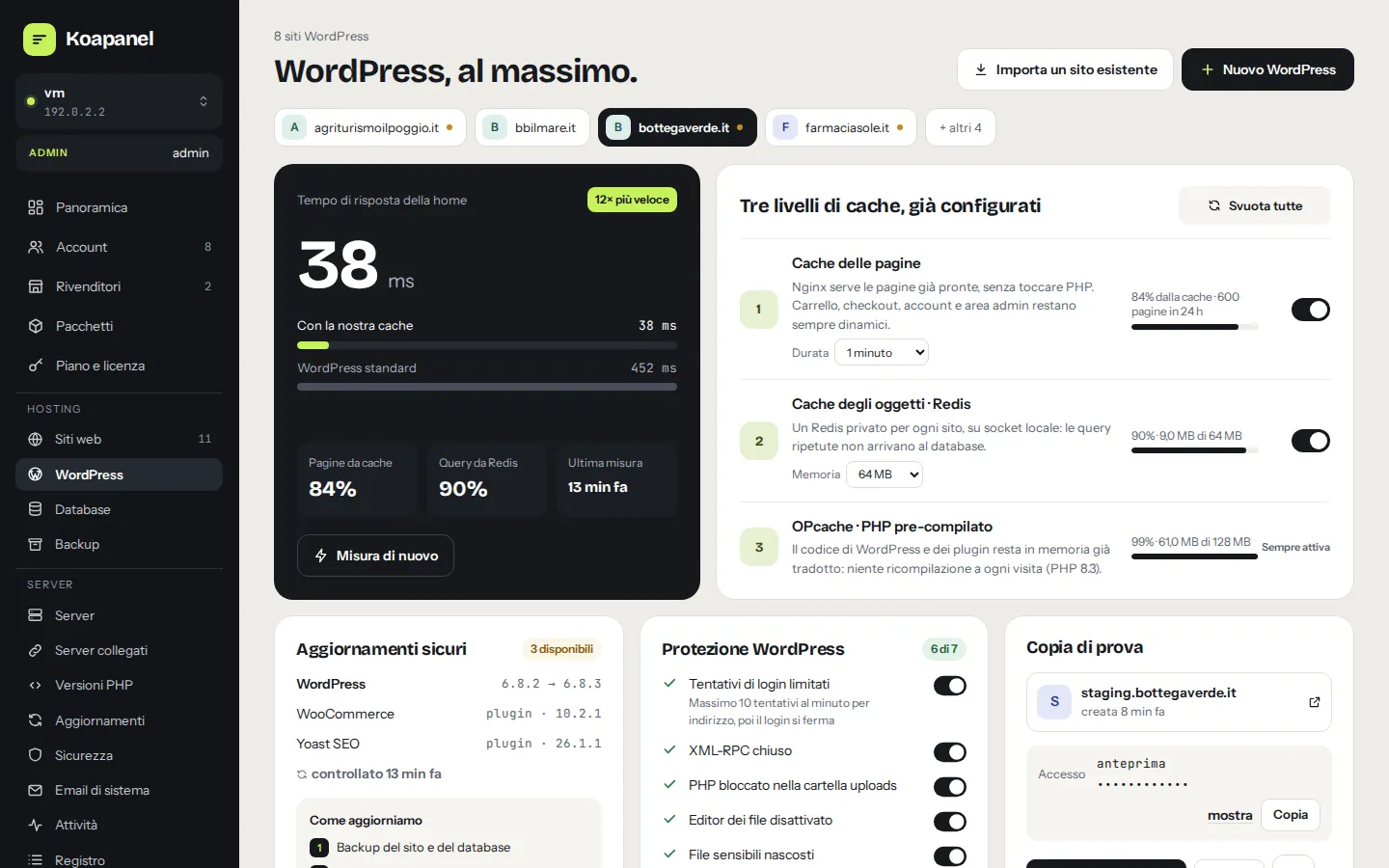
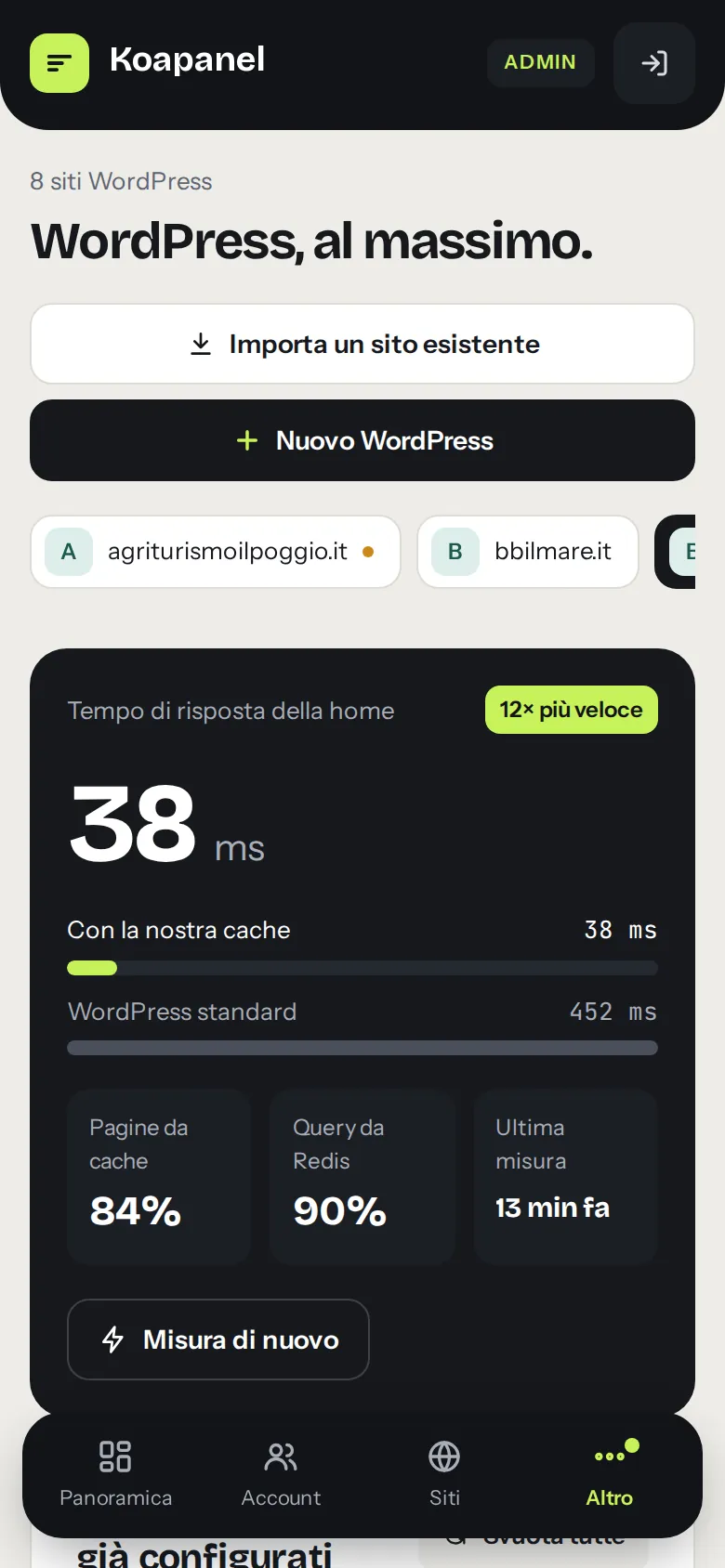
Fast WordPress, with no cache plugin to configure.
Install WordPress in one click and the panel sets everything up: pages served by nginx without touching PHP, a private Redis for the site, OPcache. Then it measures the result: home page response time with and without the cache.
- Safe updates: backup, update, official checksum and home page checks. If anything goes wrong, it rolls back by itself.
- Staging copy protected by password, published to production in one click.
- Log into wp-admin without a password, login protection, WP-CLI in the browser.
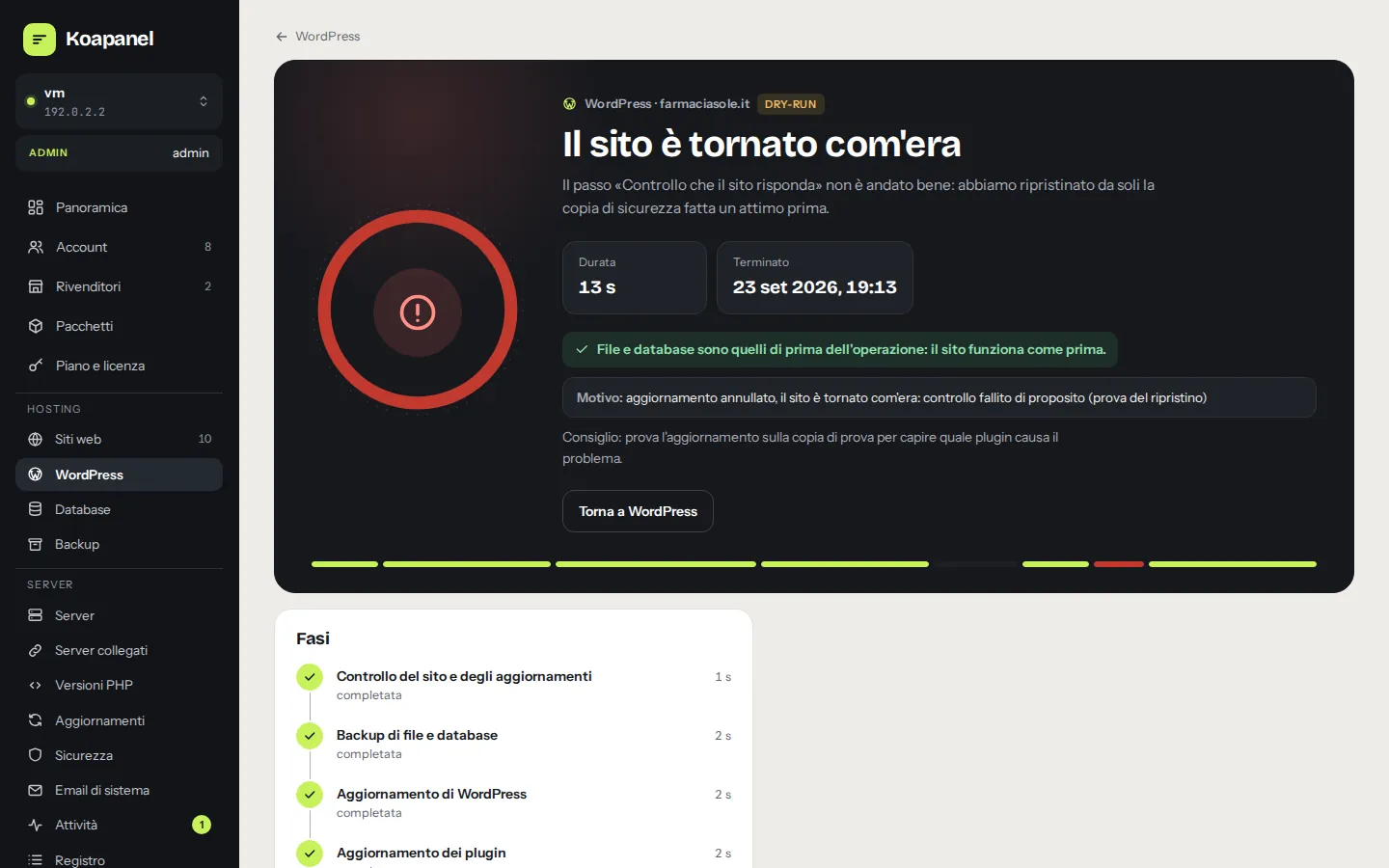
An update breaks the site? The panel restores files and database and tells you.
Three levels and white label
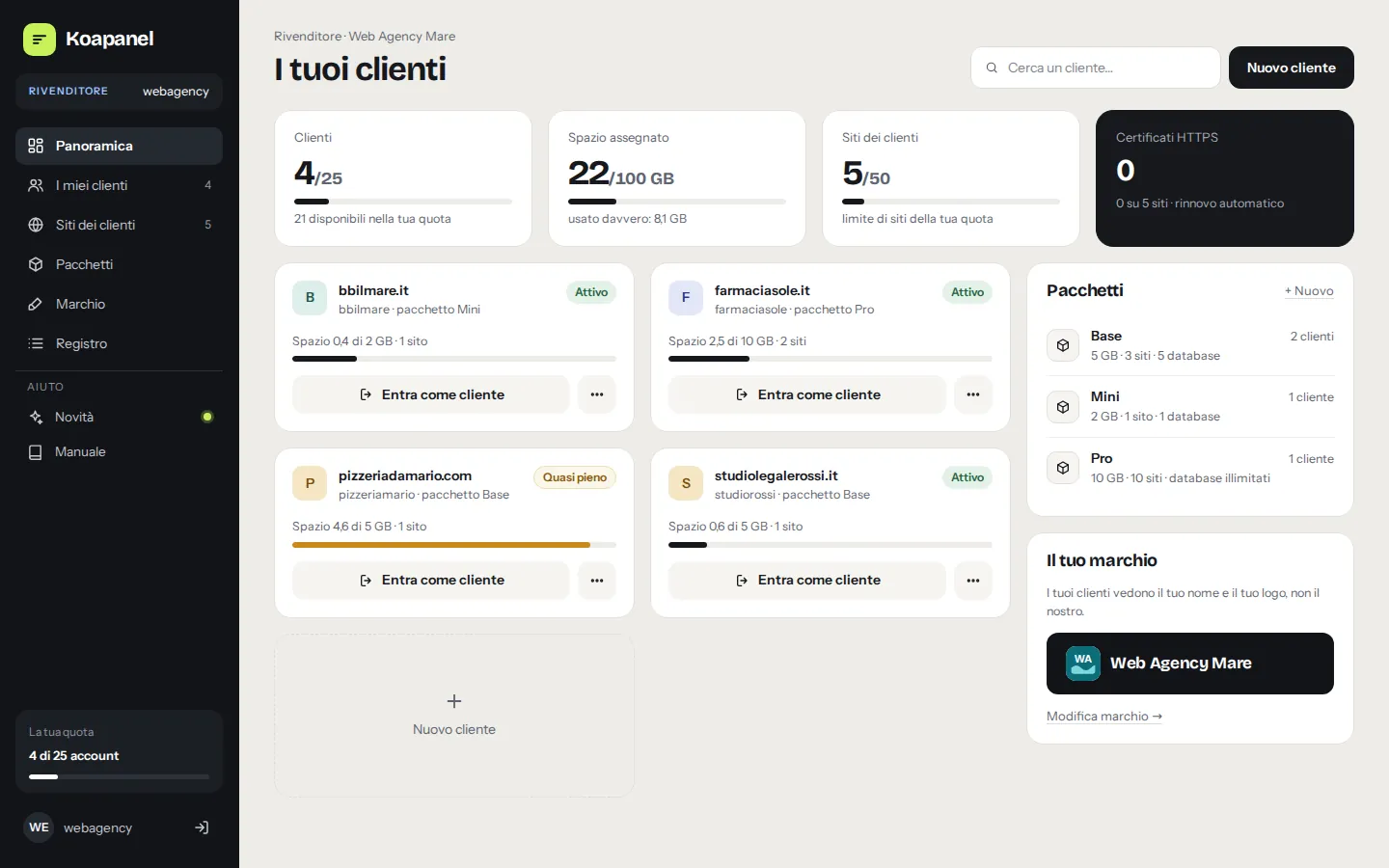
One server, many customers. Each sees only their own.
Like WHM and cPanel, but in one modern interface. Create resellers with their quotas; they create packages and customers under their own name and logo.
Administrator
The whole server: accounts, resellers, packages, security, updates.
Agency or reseller
Their customers and packages, under their brand, logo and support contacts.
End customer
Their own sites, files, databases, mail and backups, within the package limits.
Migration
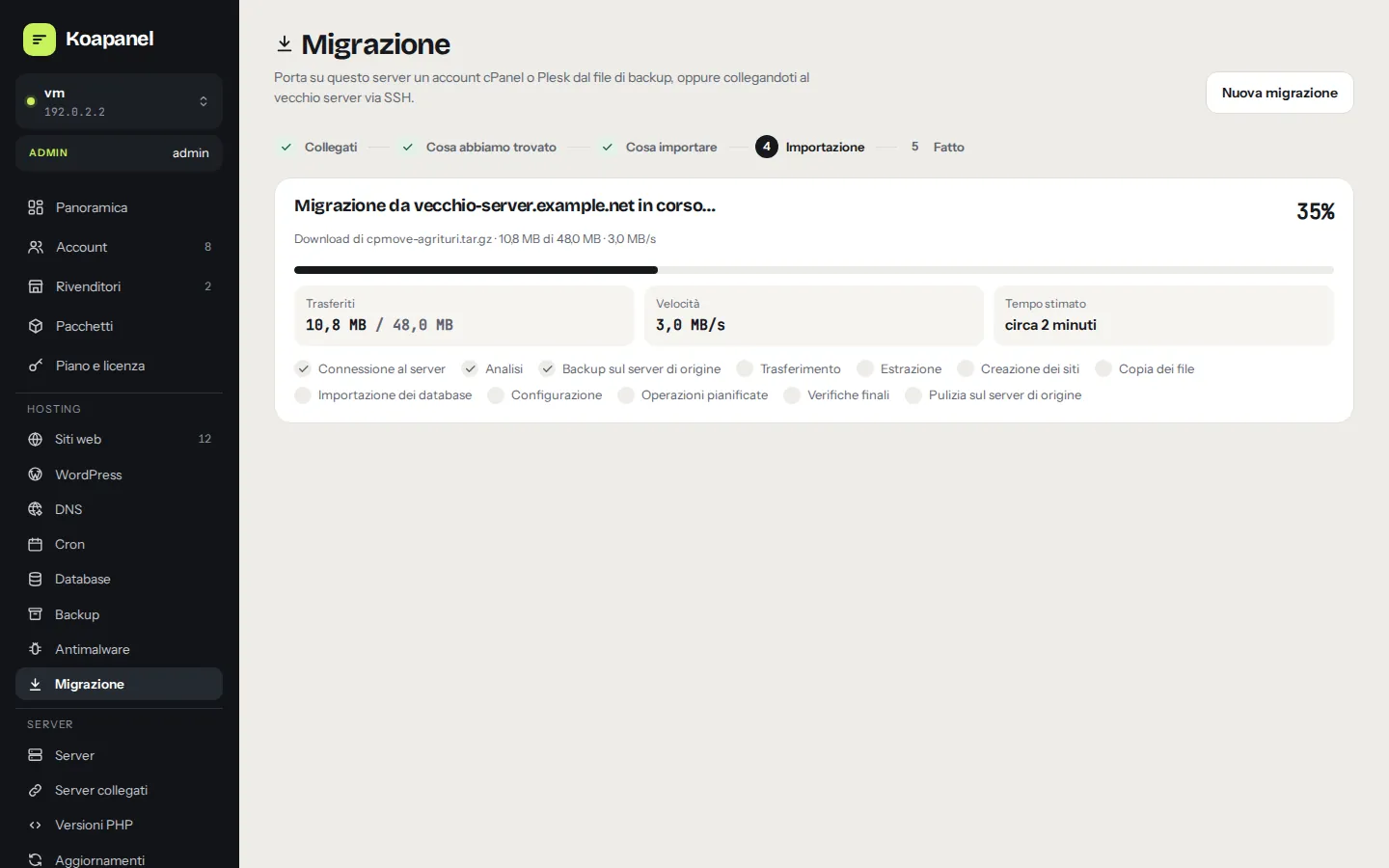
From cPanel and Plesk in a few clicks. Without even downloading anything.
Upload the account backup file, or connect the old server over SSH: Koapanel detects domains, databases, cron jobs and mailboxes and brings them over.
- Databases with new passwords,
wp-config.phprewritten automatically - Final sync before the DNS switch, so no orders or comments are lost
- SSH credentials used once and never stored
Security
Secure by design, not as an add-on.
Isolation between sites, built-in antimalware and digitally signed panel updates that roll back automatically if anything goes wrong.
Antimalware
Built-in scanner for web shells and obfuscated code, ClamAV sized to the server RAM and WordPress files compared with the official ones. Reversible quarantine: it never deletes anything by itself.
Isolation
One Linux user and PHP pool per site, open_basedir, dangerous functions disabled, SFTP locked into the site folder. WordPress commands always run as the site user, never as root.
Signed updates
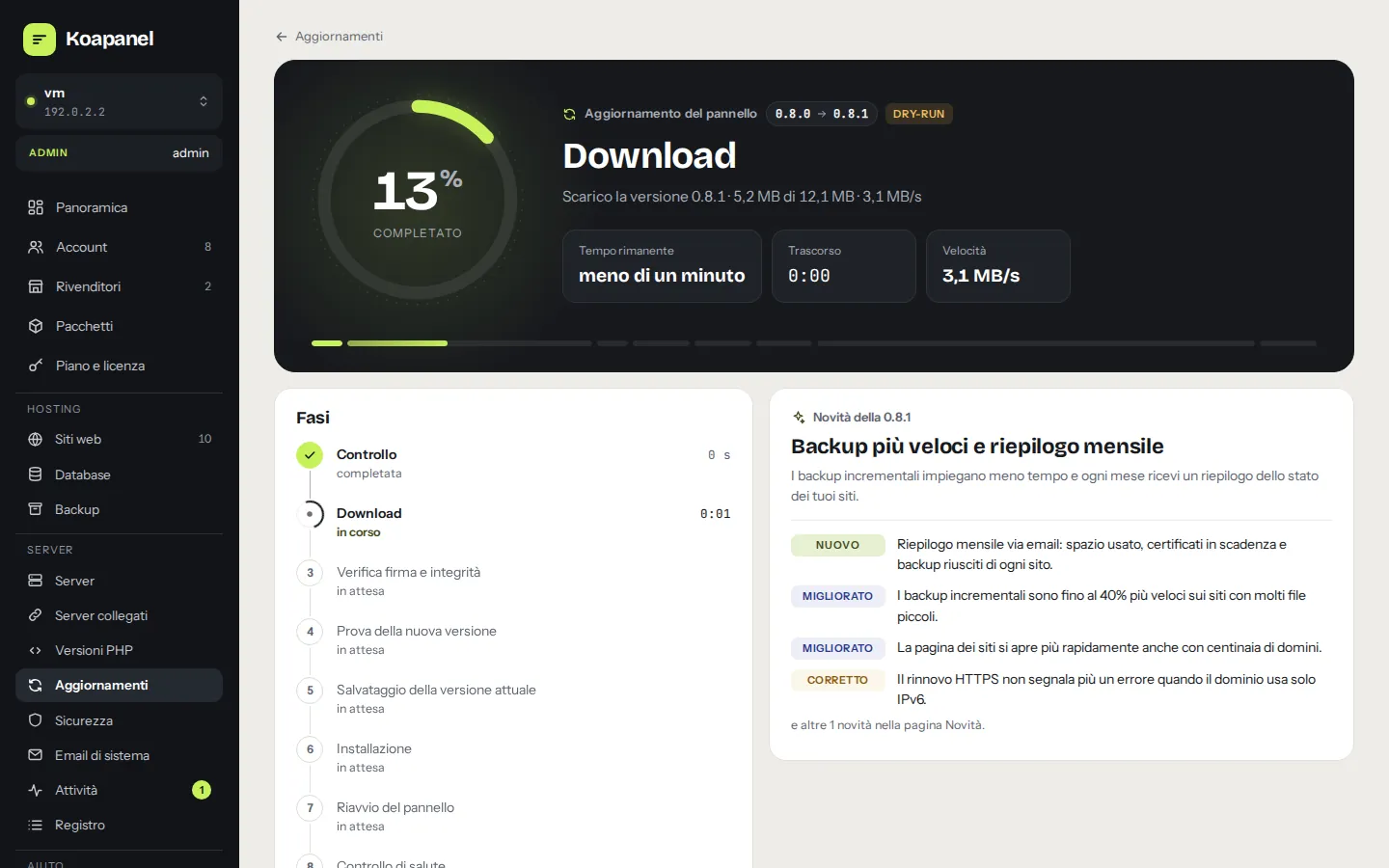
Every new panel version is verified by digital signature and checksum before installing. If it doesn't respond within a minute, the previous version comes back by itself.
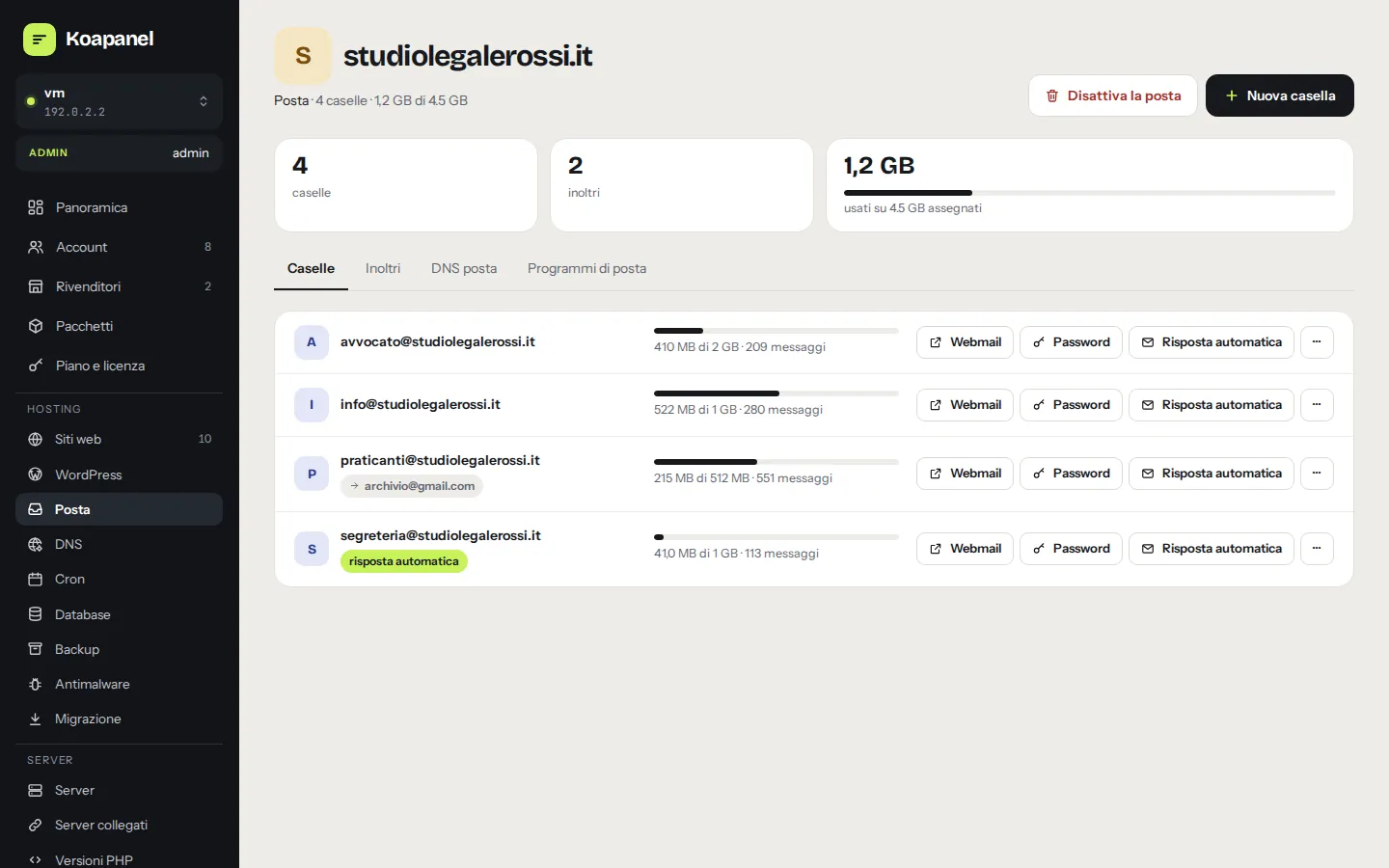
Mail for your domains, when you need it.
An optional mail service you enable in one click: mailboxes, forwarders, autoresponders, antispam, DKIM signing and a webmail that opens from the panel already signed in.
- Checks before enabling: port 25, reverse DNS, blocklists, memory
- SMTP relay for cloud providers that block port 25
- DNS records ready to publish, or published for you with Cloudflare
And everything else
Everything you need to host websites. Nothing you don't.
Isolated sites
Each site gets its own Linux user, PHP-FPM pool and folder: a compromised site cannot touch the others.
PHP 7.4 to 8.5
Several versions on one server, one per site, with memory, uploads and timeouts tunable per site.
HTTPS Let's Encrypt
Free certificates in one click, automatic renewal and a DNS check before requesting.
MariaDB and phpMyAdmin
Databases and users per site; phpMyAdmin opens already signed in, no password to retype.
Backup and restore
Incremental restic backups to S3-compatible storage or a local disk, scheduled, with file and database restore.
File manager and editor
In-browser file manager with a code editor, highlighting and linting; chrooted SFTP.
Cron
Scheduled jobs per site with a readable schedule builder and run history.
DNS with Cloudflare and 1PrimeCDN
Manage records from the panel and point a site at the server in one click, previewing the change first.
Linked servers
Jump between your servers already signed in, from the menu under the logo.
Italian and English
Interface, manual and emails in each user's language.
Firewall and fail2ban
ufw with anti-lockout protection and fail2ban for SSH, WordPress and mail.
Activity log
Who did what, when and from where: every operation is logged.
Comparison
Why choose Koapanel over Plesk or cPanel.
Plesk and cPanel are mature products built for large hosting providers. Koapanel is made for people who run one to a few dozen servers and want a modern, fast panel with pricing designed for small teams.
| Aspect | Koapanel | Traditional panels |
|---|---|---|
| Price | Free up to 3 sites (personal use), then from €7.90/month. Every feature in every plan. | Price lists designed mainly for large providers |
| Interface | One modern app for admins, resellers and customers, phone included | Interfaces grown over many years of development |
| WordPress | Three cache layers, private Redis, updates with automatic rollback and staging: built in | Often through dedicated toolkits or extensions |
| Installation | One binary and one script on Ubuntu 24.04: nginx, PHP-FPM, MariaDB | More components to install and maintain |
| Language and support | Native Italian and English: interface, manual, emails. Support from inside the panel | International products, translated |
| Coming from another panel | Built-in migration from cPanel and Plesk: backup file or SSH | Migration tools between their own products |
Plesk and cPanel are trademarks of their respective owners. This comparison is qualitative and describes Koapanel's design choices; it is not a benchmark.
FAQ
Frequently asked questions
Which servers does Koapanel run on?
A freshly installed Ubuntu 24.04 LTS server (VPS or dedicated) with root access. The installer sets up nginx, PHP-FPM, MariaDB, certbot, the firewall and the panel. Mail and antimalware adapt to the available memory: they work on a 2 GB VPS too.
Can I try it for free?
Yes: the Free plan allows up to 3 websites for personal use, with every feature. For more sites or business use, pick a paid plan and paste the license code in the panel: no reinstall needed.
How many servers does one license cover?
Each license covers one server. If you run several servers you need one license each; link them together and switch between them from the menu.
What happens if my license expires?
You get a 14-day grace period with the same limits; then the Free plan limits apply. The panel never deletes anything: sites keep running, only creating new sites beyond the limit is blocked.
Can I resell hosting to my customers?
Yes. Create resellers with their own quotas and packages; each can set a name, logo and support contacts. Customers never see Koapanel's plans. If you are a hosting provider, see wholesale licenses.
Can I move sites from cPanel or Plesk?
Yes, with the account backup file or by connecting to the old server over SSH. Read how migration works.
Do I need a mail server?
No, mail is optional. Enable it whenever you want from Mail › Mail server, or keep using an external mail service.
Your next server deserves a better panel.
Free up to 3 websites for personal use. When you grow, pick the right plan: every feature is included in every plan.