WordPress hosting
Fast, up-to-date, protected WordPress. No extra plugins.
Three-level cache already set up, updates with automatic rollback, protections with a switch and a nightly check of known plugin and theme vulnerabilities. All inside the panel, for every site.
Speed
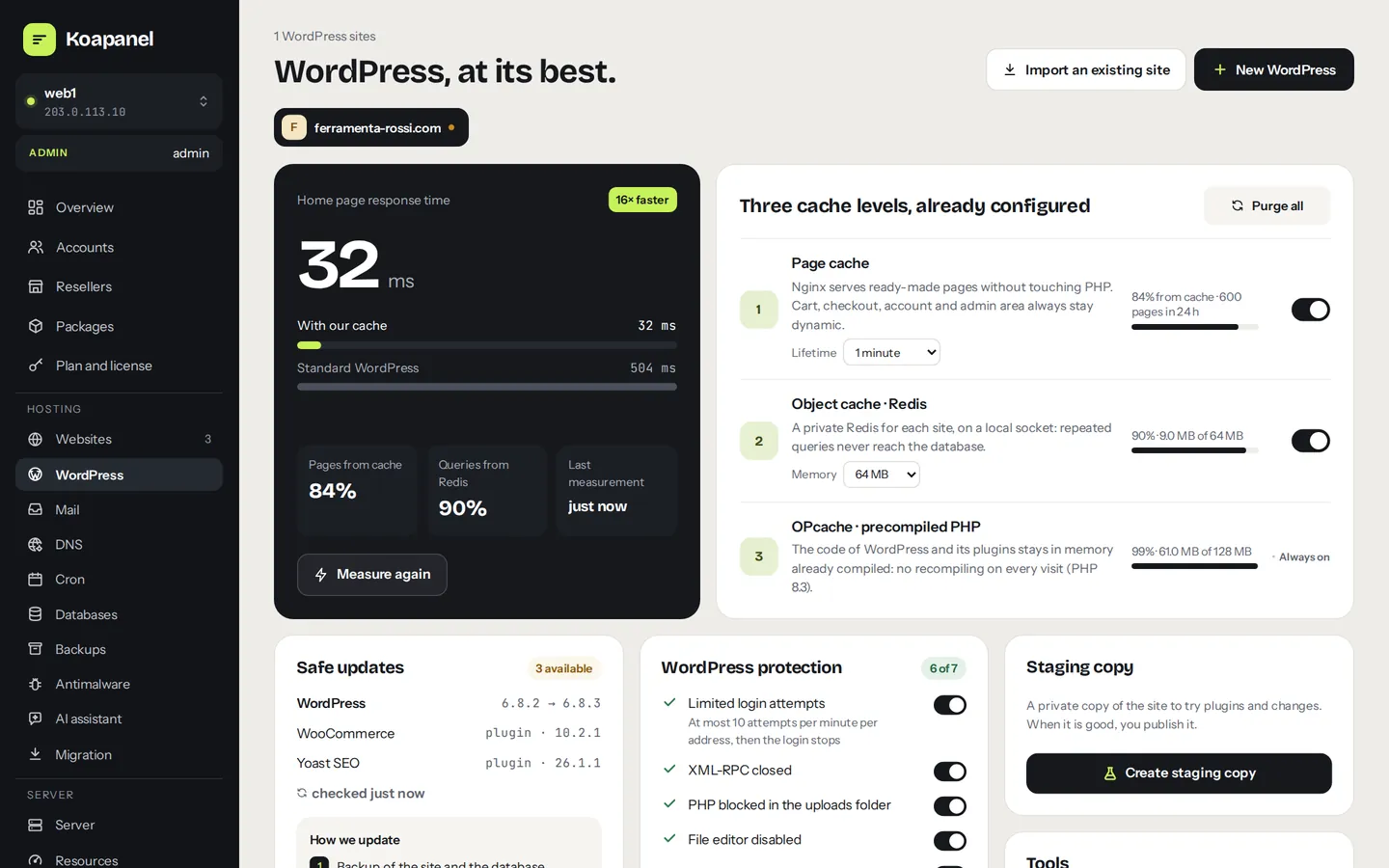
Three cache levels, already on.
- nginx page cache: ready pages are served without touching PHP. WooCommerce cart, checkout and account, logged-in users, admin and REST API always stay dynamic.
- A private Redis per site: on a local socket, with no network port and capped memory. The panel installs the Object Cache plugin.
- OPcache: WordPress and plugin code stays in memory, already compiled.
- Speed measurement: home page response time with and without cache, with history.
Installation
A new WordPress in a minute.
Choose domain, title and user: the panel creates the site and a dedicated database, downloads WordPress, writes wp-config.php with fresh keys, sets permalinks and turns on cache, Redis and protection.
- The wp-admin password is shown only once; then you log in with a single-use link
- WP-Cron on the system cron, even without visits
- Every command runs as the site user, never as root
Safe updates
Update without fear: if anything goes wrong, it goes back as it was.
Backup
Files and database, plus a remote backup when backups are configured.
Update and check
WordPress, plugins and themes, then the core files compared with the official checksums.
Site check
The home page must answer correctly, without PHP errors. If not, files and database go back as they were and you get an email.
Automatic updates run at night, each site at its own time, with the same procedure: security and minor only, or everything.
New · known vulnerabilities
The panel tells you which plugins are at risk. And fixes them.
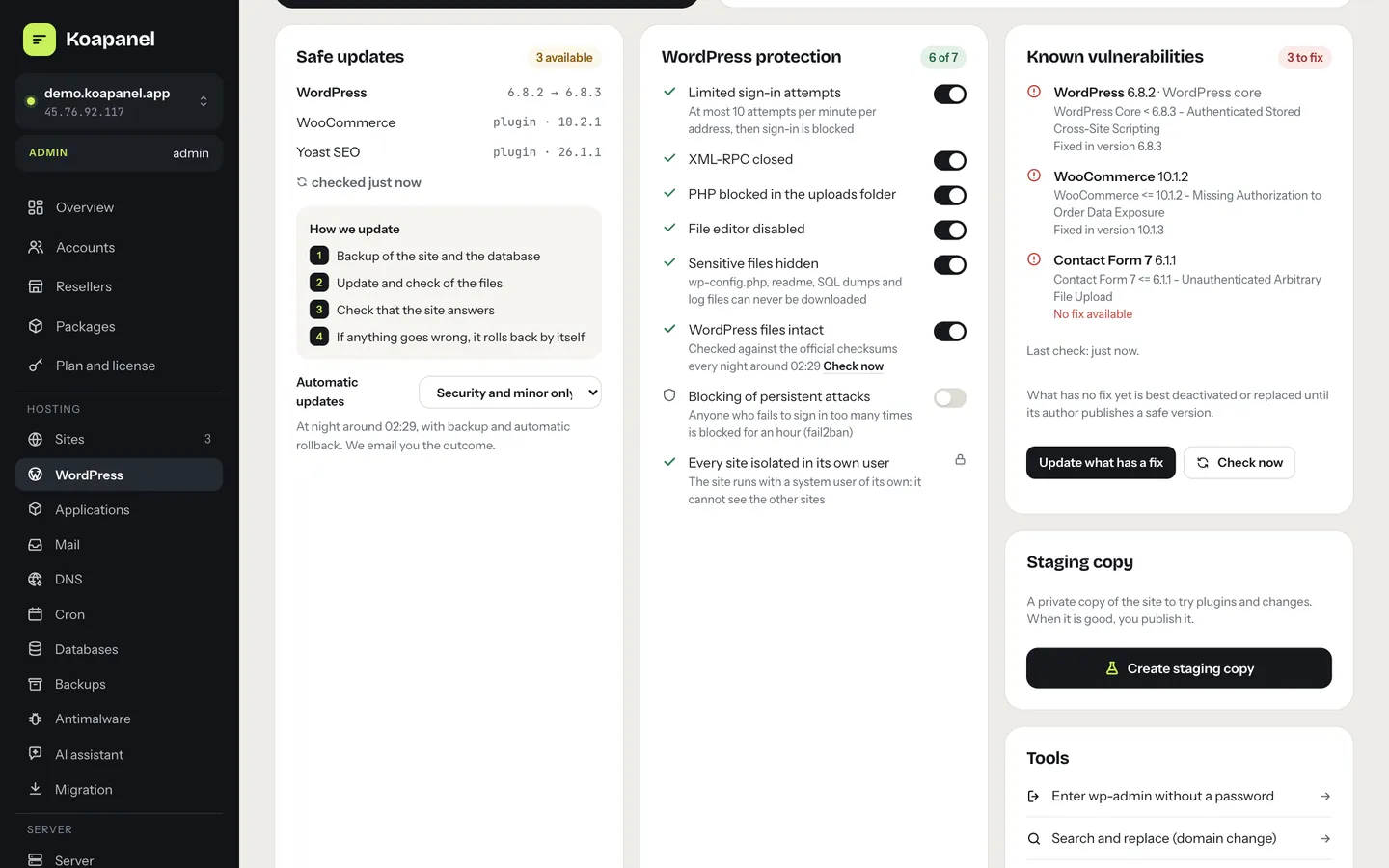
Outdated plugins are the most common way a WordPress site gets hacked. Every night KoaPanel compares WordPress, plugins and themes of every site with the public list of known vulnerabilities of Wordfence Intelligence.
- For each vulnerability: what it is and which version fixes it, or that there is no fix yet
- One button updates only what has a fix, with the safe update
- Email to the account and its reseller when new ones show up
- Optional automatic fix: at night it updates at once only the affected component
- All it takes is a free Wordfence API key, also for commercial use
Protection
Every protection with a switch.
- Rate-limited logins on
wp-login.php - Persistent attackers blocked with fail2ban
- XML-RPC closed and PHP blocked in the uploads folder
- File editor off and sensitive files never downloadable
- WordPress files intact: compared with the official ones every night
- Every site runs as its own system user: it cannot see the others
Staging copy
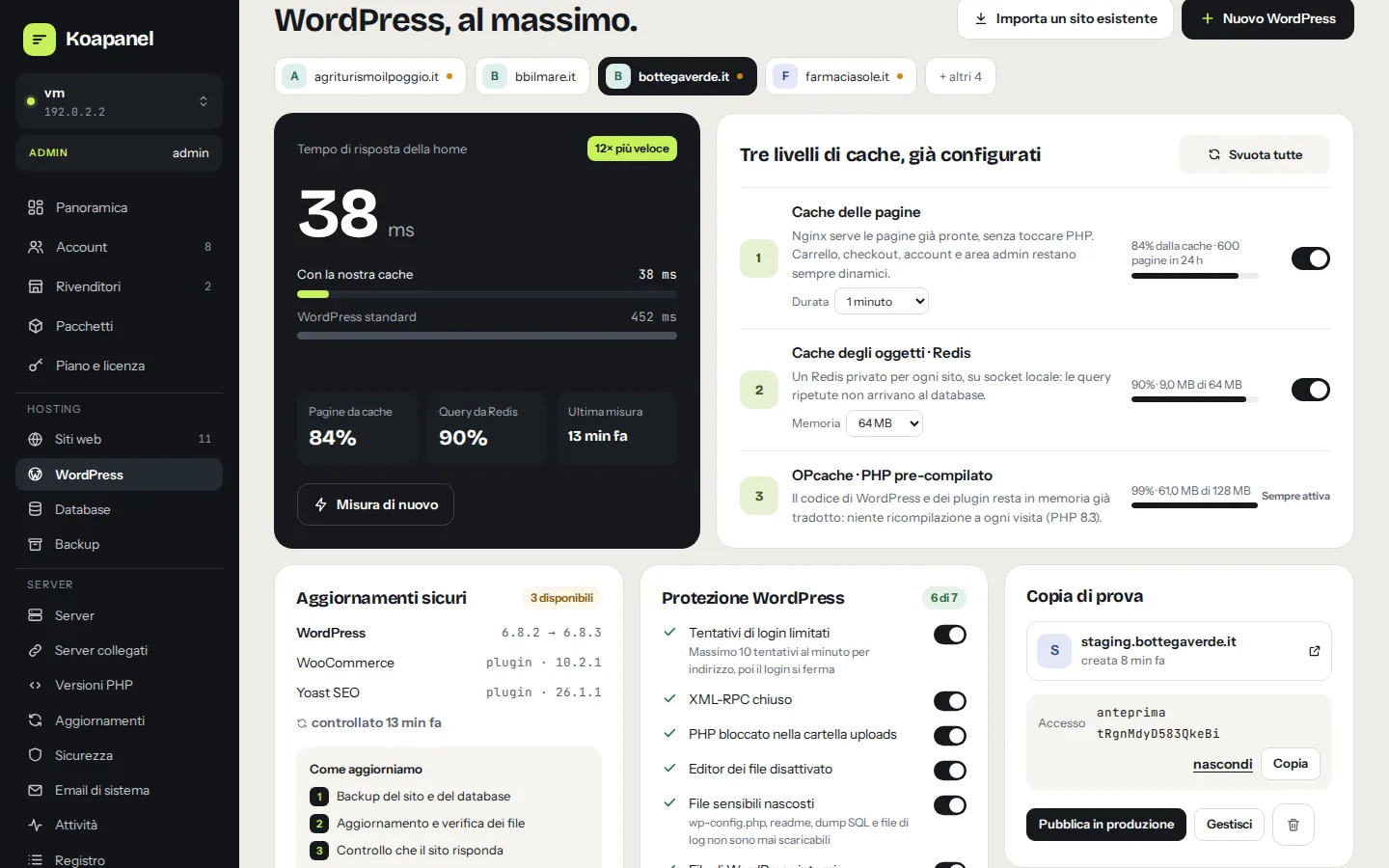
Try plugins and changes on a copy, then publish.
- Copy of files and database on
staging.of your domain, password-protected and not indexed - Addresses rewritten in the plugins' serialized data too
- Publish to production files, database or both, with a backup and automatic rollback
Tools
What you do every day, one click away.
Password-less wp-admin
A link valid for 60 seconds and only once.
Search and replace
It counts first, then backs up the database and applies, serialized data included.
WP-CLI in the browser
Safe commands for customers, full WP-CLI for administrators.
Debug and maintenance
Errors in a log you read from the panel, never shown to visitors.
Import
Bring a WordPress from another host with the files archive and the database dump.
For resellers and agencies
Customers see only their own sites; emails carry the reseller's brand.
WordPress questions
Do I need cache or security plugins?
No. Page cache, Redis, OPcache and protection are handled by the panel. The only plugin it installs is Redis Object Cache, for the object cache.
Does the cache break WooCommerce?
No. Cart, checkout, account, logged-in users, admin area and REST API never go through the page cache; the default lifetime is 60 seconds.
What if an update breaks the site?
The panel notices it by checking the home page after the update and restores by itself files and database from the backup taken a moment before. You get an email with the reason.
Where does the vulnerability list come from?
From Wordfence Intelligence, Wordfence's public database of WordPress vulnerabilities: it is free also for commercial use, all it takes is the API key of a Wordfence.com account. The panel downloads it once a day.
Can I bring my WordPress sites from another host?
Yes, even without SSH: in Migration › From a WordPress site enter the address, user and password of wp-admin and the panel copies files and database from any host (SiteGround, Hostinger, Bluehost…). There are also the import from an archive and a database dump, and the migration from cPanel, Plesk or over SSH, which brings mail too.
Your WordPress deserves a panel made for it.
Free up to 3 websites for personal use. When you grow, pick the right plan: every feature is included in every plan.